Keep On Steppin AIKeep On Steppin AI dance from one photo
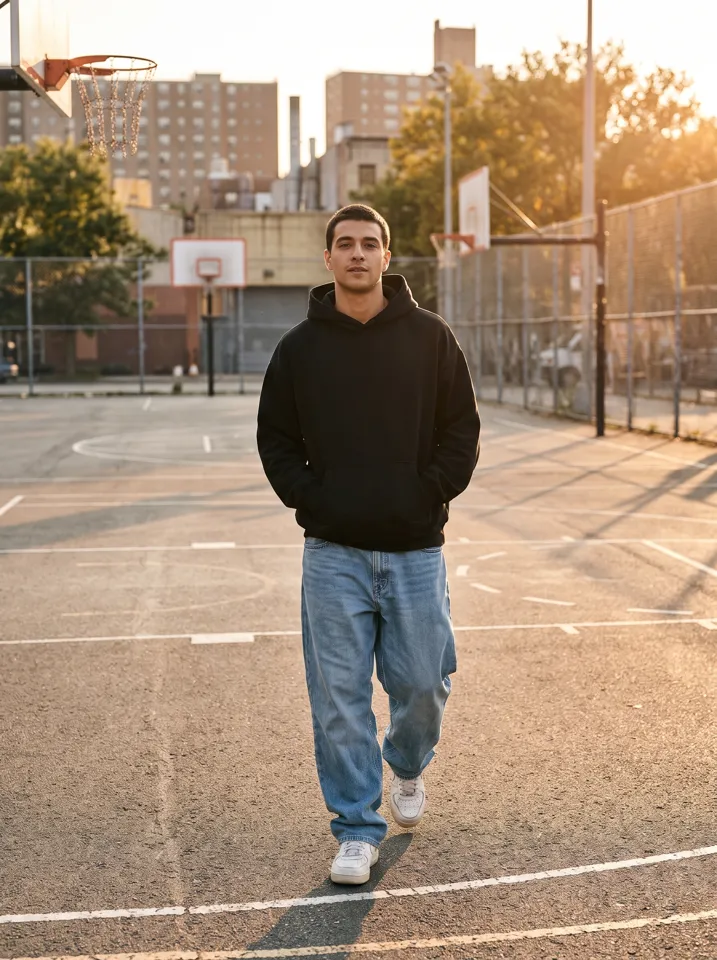
To make the Keep On Steppin AI dance, you need one clear, full-body photo of yourself standing and facing the camera. An AI motion-control model copies the moves of Cale Brown's viral routine (a strut toward the camera, footwork on the beat, a lean and a turn) onto the person in your photo and returns a short vertical clip. On Vivimo, upload your photo below for a free 5-second preview, no sign-up needed.
Updated October 27, 2026 · 1 photo · No prompt needed
Quick facts: Keep On Steppin AI on Vivimo
| Photos needed | Full-body photo of you |
|---|---|
| Free preview | 2 a day, 5 s at 480p, watch online, no sign-up |
| With credits | 5–15 s, download without watermark; 720p with the Pro pack |
| Price | From $9.99 for 12 credits, one-time; 1 credit = 1 second at 480p |
| Prompt | Not needed, the motion is preset |
| Sound | Video only; add the trend sound in TikTok, Reels or Shorts |
| Time | Usually 30 seconds to 3 minutes |
What is the Keep On Steppin trend?
The routine comes from a TikTok video posted on 31 October 2025 by dance creator Cale Brown, which is why it is also called the Cale Brown dance or the Keep On Stepping dance.
In the original, five friends in baggy jeans and black hoodies step toward the camera in a line, and each one takes a short solo, set to the southern soul track "Keep On Steppin".
The AI version started on 8 October 2026, when CapCut template accounts began posting clips that put new people into the line. Within a week the #keeponsteppin hashtag passed 84 million views.
Most AI versions make a solo clip of the lead dancer's moves using a motion-control model, which copies the movement while keeping your face, hair and clothes.
How to make the Keep On Steppin AI video
- Pick a full-body photoStand, face the camera, and make sure your whole body and feet are in the frame. One person only.
- Choose the Keep On Steppin effectThe moves, timing and camera are preset, so you do not need to write a prompt.
- Get your clipYou get a short vertical video of you doing the steps, ready for TikTok, Reels or Shorts.
Photo tips for the best result
- Full body, head to feet. Cropped legs make the footwork look wrong.
- Even light and a sharp photo. Blur and dark shadows make the face drift.
- No sunglasses or hood over the face.
- A simple background with some open floor in front of you works best.
- A vertical photo gives a vertical clip.
- Only use a photo of yourself, or of an adult who agreed to it.
FAQ
What song is used in the Keep On Steppin trend?
The southern soul track "Keep On Steppin", the song in Cale Brown's original video. Vivimo clips can be exported without music so you can add the sound inside TikTok.
Can I put my friends in the five-person line?
Most AI versions, including Vivimo's, make a solo clip of the lead dancer from one photo. A group version would need one photo per person.
Do I need to write a prompt?
No. The moves are preset by the effect. You only upload a photo.
Is it free?
Yes. You get 2 free previews a day, 5 seconds at 480p to watch online, with no sign-up. Downloadable, watermark-free videos use credits; packs start at $9.99.
 Uptown Funk AI
 2 photos
 Rumpelstiltskin AI
 2 photos
 AI Halloween Costume